
Guest WiFi for cafes and restaurants
Cafe and restaurant WiFi that knows who your customers are
Swap the password on the chalkboard for a branded WiFi login page. Customers get online in one step with a one-time password, and every login becomes a contact on your own customer list.
The short answer
Wyfy Guest is guest WiFi software for cafes and restaurants in India. Customers join the WiFi, see a login page with the venue's name and logo, and sign in with a one-time password (OTP) by SMS, WhatsApp or email. Each verified login joins the venue's own customer list, and per-guest speed and device limits keep the connection fair.
What a shared WiFi password costs a cafe
Free WiFi is expected. Free WiFi that tells you nothing is the part worth fixing.
The password outlives every customer
It is on the menu, the wall and a dozen phones, and the neighbours have it too. Anyone in range shares your line, and you cannot tell who.
One laptop takes the whole line
A customer on a video call or a big download slows everyone else down, and staff have no way to set a limit.
Customers come in and leave as strangers
Every day people use your WiFi and you learn nothing about them: no contact, no way to tell them about a new menu or an offer.
What Wyfy Guest does for a cafe or restaurant
No one technical on call. You set it up once with our team and run it from your phone.
A login page with your name on it
Your headline, welcome message, logo and brand colour, on every customer's phone, instead of the router's factory page.
One-step OTP login
Customers sign in with an OTP by SMS, WhatsApp or email. A cafe can lead with WhatsApp OTP, because WhatsApp is already open on most customers' phones.
Your own customer list
Each verified login adds a contact to the venue's own customer list, not to a third-party network.
WiFi marketing after login
Show a banner offer, a short survey, or send customers to your menu or review page after they log in. With the Guest Marketing add-on you can send campaigns to customers who opted in at login.
Fair limits per customer
A speed limit and a device limit per guest, set once per location, so one laptop cannot take the line from the room.
Numbers hidden from counter staff
The connected-guest list shows who is online and how much data they used, with phone numbers and emails masked by default.
Every outlet in one dashboard
Run one cafe or a chain from the same account, each outlet with its own login page, limits and reports.
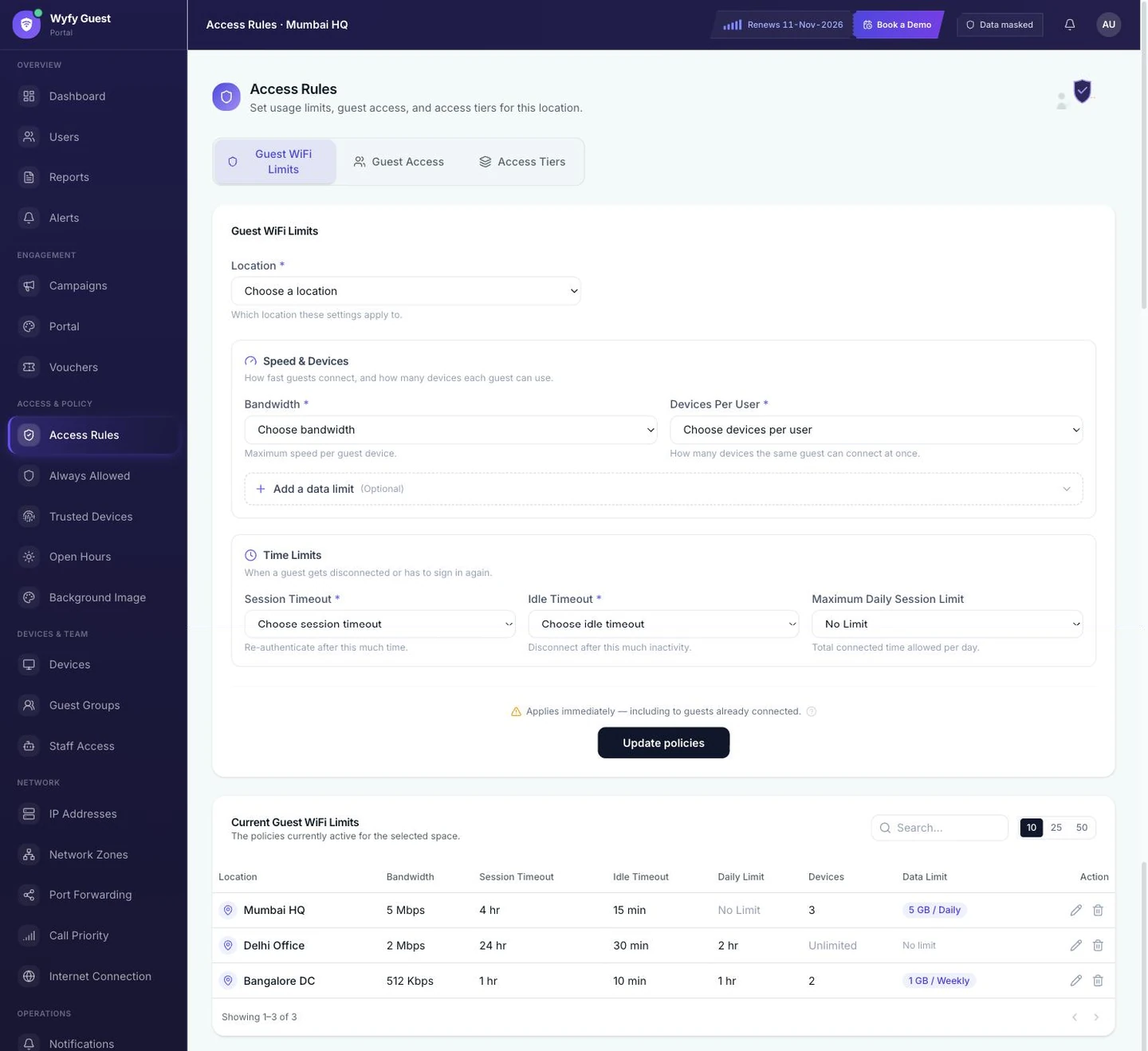
Per-guest speed and device limits in the live Wyfy Guest dashboard (demo account), set once per location.
How a cafe gets started
- 01
Book a free demo
You see the real dashboard and the guest login running live, and tell us how many locations and routers you have. The demo is free; pricing is a quote built from your locations, routers and support level.
- 02
We check your existing router
Our team checks the router you already have and tells you plainly whether it is compatible. If it is, you keep it. If it is not, we recommend one that works, and you can buy it yourself or have us buy and set it up.
- 03
We set up the login page and the rules
Your headline, logo, colours and sign-in methods, plus per-guest speed and device limits, configured for each location.
- 04
You run it from one dashboard
Every location sits under one account: who is online, the guest log, vouchers, limits and reports, on a laptop or a phone.
Want the longer version? These guides cover it:
- Restaurant guest WiFi: waiting areas, card machines and food courts
- Your WiFi login screen is a marketing channel
- WhatsApp marketing from your guest WiFi: what is allowed
Also on Wyfy Guest: Guest WiFi for hotels · OTP WiFi login · Captive portal · Pricing
Questions
Cafe and restaurant WiFi, straight answers
How do I set up a WiFi login page for my cafe?
Book a demo, and our team checks the router you already have. If it is compatible, we set up your branded login page, sign-in methods and per-guest limits on it, and you manage it from the Wyfy Guest dashboard. You do not need anyone technical on staff.
Can guest WiFi help bring customers back?
Yes, that is the point of a login page. Each verified login becomes a contact on your own customer list, and after login you can show an offer, a short survey or your review page. Customers who opt in can be sent campaigns later with the Guest Marketing add-on.
Will customers find a WiFi login annoying?
The login is one number and one code. You choose which methods to offer, and WhatsApp OTP arrives in an app most customers already have open. Compare that with asking staff for the password.
Can I stop one customer from using all the bandwidth?
Yes. Set a speed limit and a device limit per guest for each location, and every customer gets the same fair share of the line.
How much does cafe WiFi software cost?
Wyfy Guest is quote-priced, built from your locations, routers and support level, so a single cafe and a chain do not read one wrong number off a price list. There is no free trial, but a demo is free.

See your cafe's login page in a free demo.
We'll show the customer login, the customer list and the dashboard on a real router, and quote your outlets on the call.
 Book a Demowyfyguest.com/demo